
Early preview. SEIM is in active development. Expect rough edges and changes between releases.
What SEIM does
- Design conveyor lines from components: conveyors, transfers, sorters, sources and sinks.
- Simulate the line in 3D, driven by its own PLC logic.
- Export the control logic as IEC 61131-3 Structured Text or PLCopen XML for import into TwinCAT 3.
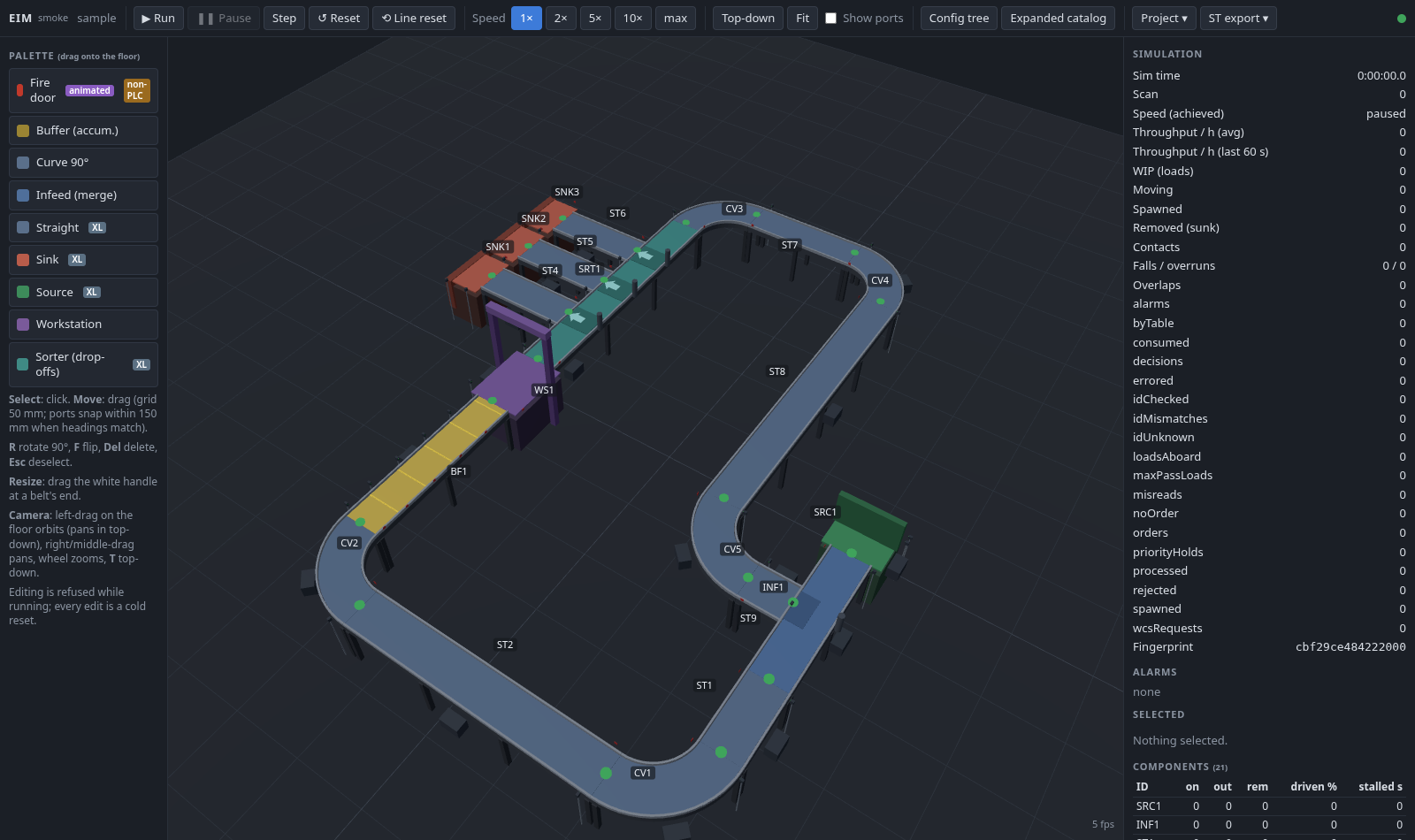
Run in your browser
Open SEIM in the browser (early preview, about 2.5 MB to load)
No download or install. Everything runs locally in your browser tab: the engine is compiled to WebAssembly, and the page is not allowed to send anything to any server (no analytics, no accounts, no cloud). Your current project is saved automatically in this browser only, and it comes back on your next visit. You can start fresh with the demo at any time. To keep a copy or move it to another computer, use Project → Download project, and Upload project to open it again.
The download below is the full tool. It runs faster, saves projects in a folder and adds the command line for automated tests.
Downloads: version 0.8.3
One program with no installer. Run it and it opens its interface in your local browser. Nothing is sent to any server.
| Platform | File | Size | SHA-256 |
|---|---|---|---|
| Windows (x64) | seim-windows-amd64.exe | 8.5 MB | 3ab40e5b5623ef2cf07c2bc6f2dc25a4cd32dc69d46b3fe29d349e1a39031190 |
| Linux (x64) | seim-linux-amd64 | 8.2 MB | 7ca982691795989bca0a0abbba32a8321bb63b37ab413d0286f5fdae53af50eb |
| Linux (ARM64) | seim-linux-arm64 | 7.8 MB | f19e513e5b05bf3af0bafe59092223c8547157686f821d315d7cb237ec5f3bee |
| macOS (Apple silicon) | seim-darwin-arm64 | 7.9 MB | b176ac80978a9716e4d372c43e7cc67b3be24c65f9502b5b2d9b7005a2036b14 |
All checksums: SHA256SUMS. On Windows, check with certutil -hashfile seim-windows-amd64.exe SHA256. The binaries are not code-signed yet, so Windows SmartScreen may warn before the first run. On Linux and macOS, make the file executable with chmod +x.